

The Microsoft Dynamics Advanced Settings pages have been around for as long as I can remember – probably since Dynamics CRM 2011.

It’s been marked as deprecated for a number of years – but not totally gone yet. It used to be accessible from the top-right cog, and then ‘Advanced Settings’, but since Release Wave 2 this now takes you to the Power Platform Environment Settings

The issue is that some functionality isn’t available in the updated interface.
A prime example I found recently, is that viewing Processes in a Solution differs from the old and new interface.
The new interface (make.powerapps.com) shows Processes as below:
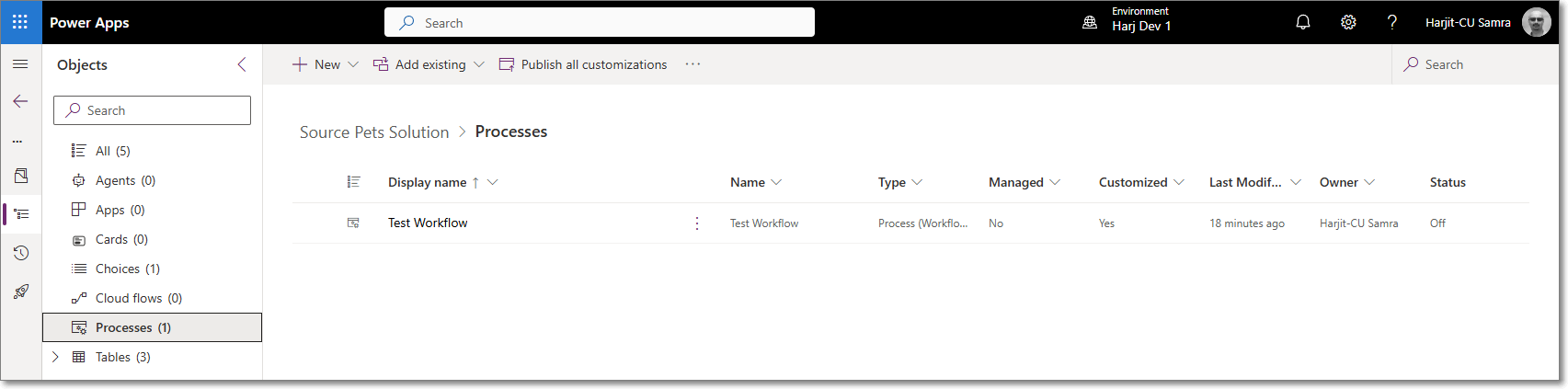
Which looks fine until you have many workflows and want to see the Primary Entity of a workflow.
See the older interface:

So why has this been removed from the new interface. Presumably there’s a reason for this.
Anyway, for now, we can still access the old interface by using the below URL
YOURORG.crm4.dynamics.com/main.aspx?settingsonly=true
That’ all for now 😀
 HARJIT SAMRAS BLOG