

Recently we had a requirement to check who had a certain privilege across all of our Dynamics environments. The privilege in question was ‘Delete Change History‘ for Audit History records.
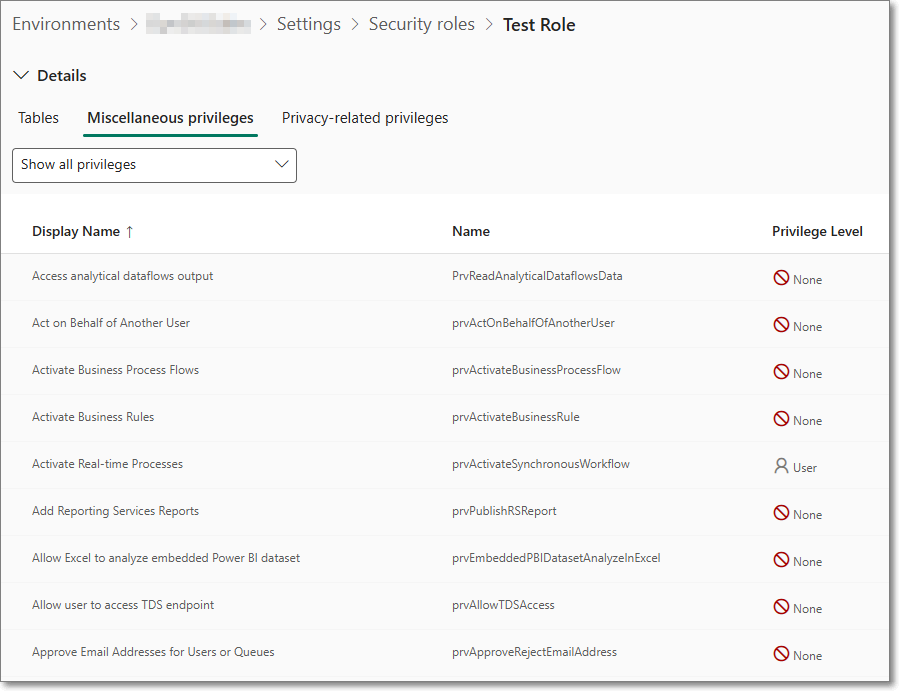
The ‘Delete Change History‘ role is found under Miscellaneous privileges, and the internal name is prvDeleteRecordChangeHistory. A full list of these can also be found on Microsoft Learn.
We need to find all of the Security Roles where this was enabled, and then the users who had this role. The interface to roles and privileges works but does not allow the searching we require.
SQL 4 CDS comes to the rescue yet again. I won’t go over the install procedure, but basically go to XrmToolBox, then download the SQL 4 CDS plugin.
Once it’s installed and you’ve connected to your Dynamics environment you can query the appropriate tables. There are several tables that hold the required information:
• systemuser
• role
• privilege
• roleprivileges
See examples below
Show all the users who have a specific privelege
SELECT
   systemuser.fullname AS UserName,
   systemuser.domainname,
   role.name AS RoleName,
   privilege.name AS PrivilegeName,
   privilege.accessright
FROM
   systemuserroles
JOIN
   systemuser ON systemuserroles.systemuserid = systemuser.systemuserid
JOIN
   role ON systemuserroles.roleid = role.roleid
JOIN
   roleprivileges ON role.roleid = roleprivileges.roleid
JOIN
   privilege ON roleprivileges.privilegeid = privilege.privilegeid
WHERE
   privilege.name = 'prvDeleteRecordChangeHistory'
ORDER BY
   systemuser.fullname, role.name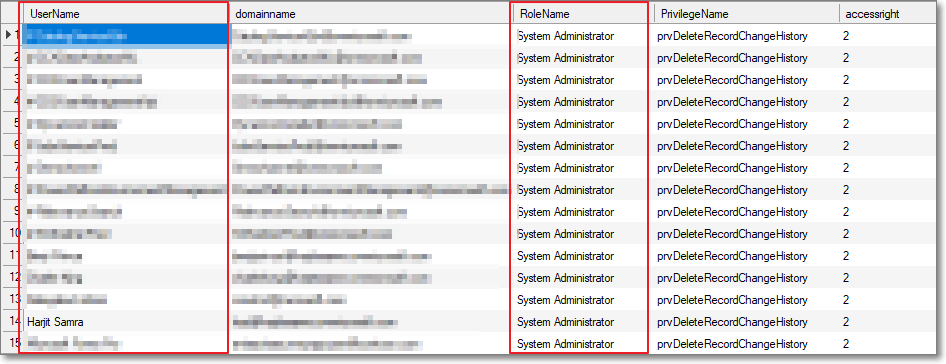
Users who have System Administrator role
SELECT
   systemuser.fullname AS UserName,
   systemuser.domainname,
   role.name AS RoleName,
   accessmodename,*
FROM
   systemuserroles
JOIN
   systemuser ON systemuserroles.systemuserid = systemuser.systemuserid
JOIN
   role ON systemuserroles.roleid = role.roleid
WHERE
   role.name = 'System Administrator' and azurestatename = 'Exists' and accessmodename <> 'Non-interactive' and isdisabled=0
ORDER BY
   systemuser.fullname, role.name
Hope this helps. 🙂
 HARJIT SAMRAS BLOG
Thanks for sharing 👍